This page explains how to access Caddie settings in Quixy and provides an overview of the configuration sections available.
To navigate to Caddie settings, go to:
- Admin Menu → Preferences → Caddie (AI Assistant)
This opens the Caddie configuration page where all AI-related settings and controls are managed.
¶ 1. Key Configuration
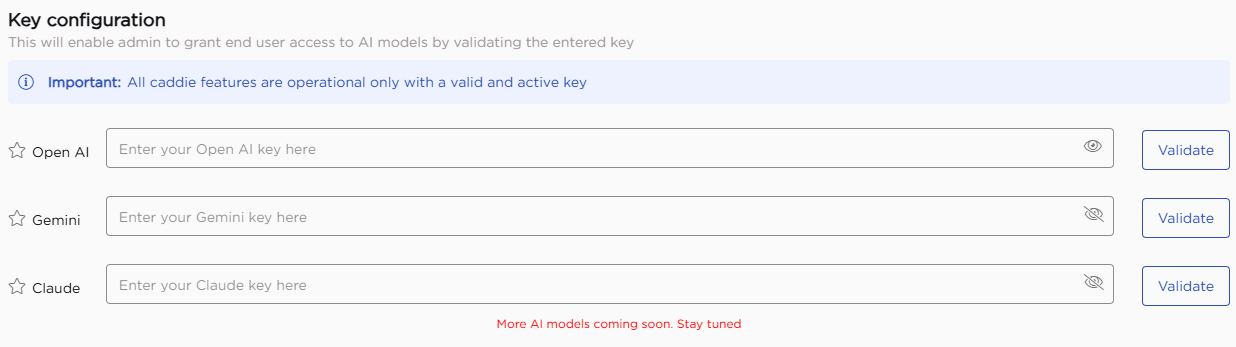
This section is used to connect Caddie with AI services to generate insights, summaries, and responses.
Caddie is designed to work with leading AI providers such as OpenAI, Gemini, and Claude, giving you the flexibility to choose the service that best fits your organization’s needs. You can add keys for:
- OpenAI
- Gemini
- Claude
Each key must be validated after entry. Once a valid key is configured, Caddie features become available for use.
¶ 2. Manage Caddie
This section is used to enable or disable Caddie and control its features for the organization.
- The main toggle enables or disables Caddie at the organization level.
- The tabs below allow you to manage features separately for citizen developers and end users.
- Each feature can be enabled or disabled individually based on requirements.
Changes made here apply across the organization.
¶ 2.1. Citizen Developer Functionalities
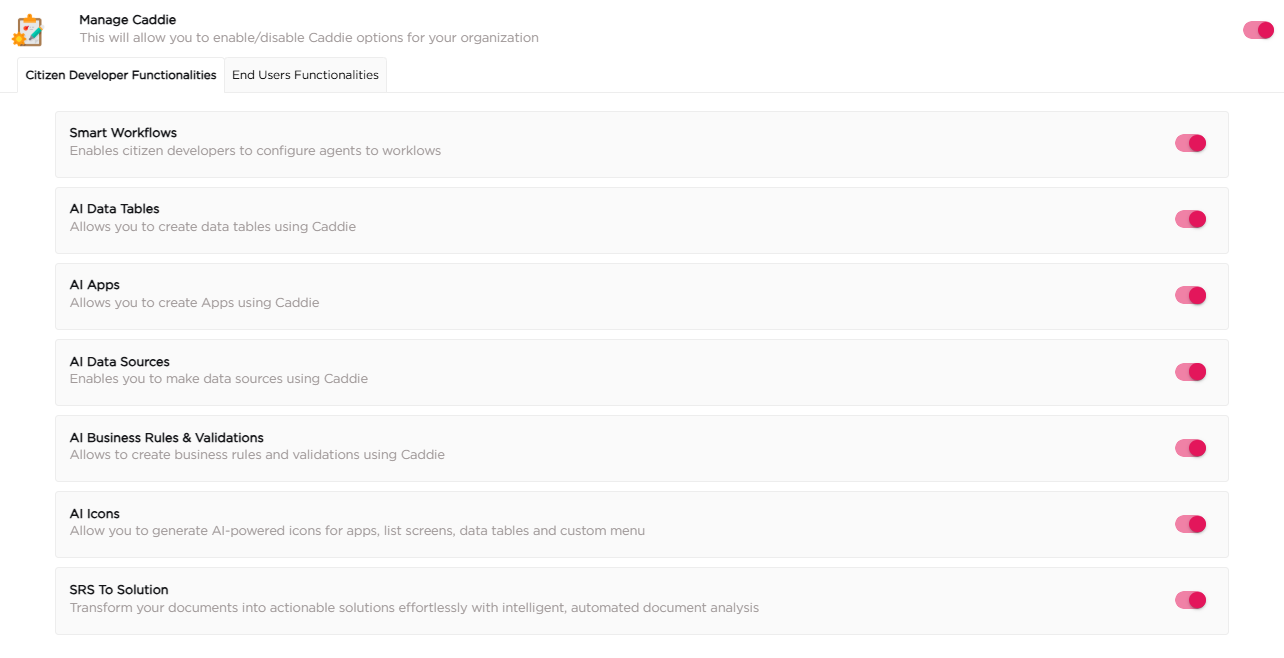
| # | Feature | Description |
| 1 | Smart Workflows | Configure AI agents within workflows to assist in process execution. |
| 2 | AI Data Tables | Create data tables using Caddie through natural language inputs. |
| 3 | AI Apps | Create applications using Caddie based on user requirements. |
| 4 | AI Data Sources | Create data sources using Caddie without manual configuration. |
| 5 | AI Business Rules and Validations | Create business rules and validations using Caddie. |
| 6 | AI Icons | Generate AI-powered icons for apps, list screens, data tables, and custom menus. |
| 7 | SRS to Solution | Transform requirement documents into actionable solutions using automated document analysis. |
¶ 2.2. End Users Functionalities
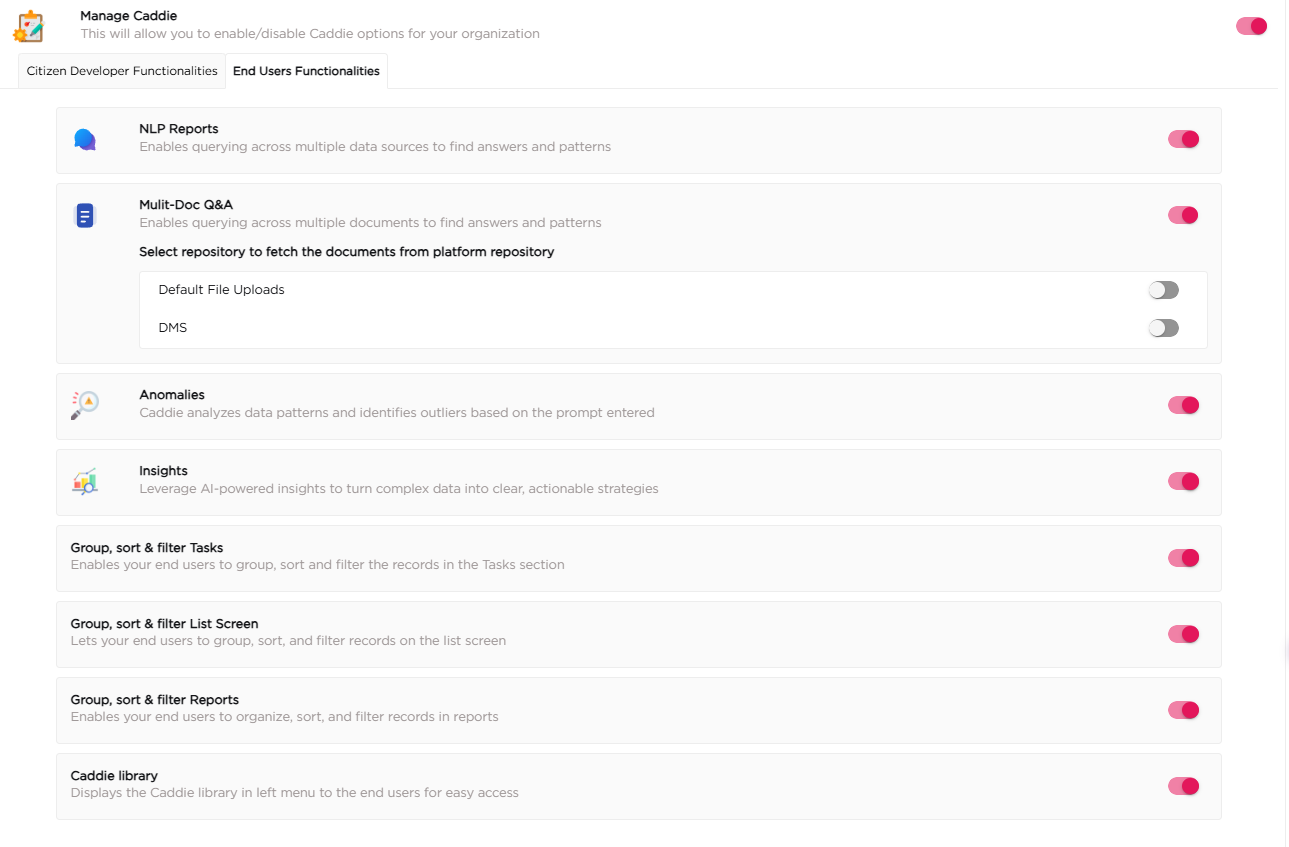
| # | Feature | Description |
| 1 | NLP Reports | Query across multiple data sources using natural language to find answers and patterns. |
| 2 | Multi-Doc Q&A | Query across multiple documents to find relevant information and patterns. |
| 3 | Anomalies | Analyze data patterns and identify outliers based on user prompts. |
| 4 | Insights | Generate AI-powered insights to turn complex data into actionable information. |
| 5 | Group, Sort and Filter Tasks | Group, sort, and filter records in the Tasks section using natural language. |
| 6 | Group, Sort and Filter List Screen | Group, sort, and filter records on list screens. |
| 7 | Group, Sort and Filter Reports | Organize, sort, and filter records in reports. |
| 8 | Caddie Library | Access saved Caddie outputs from the left menu. |