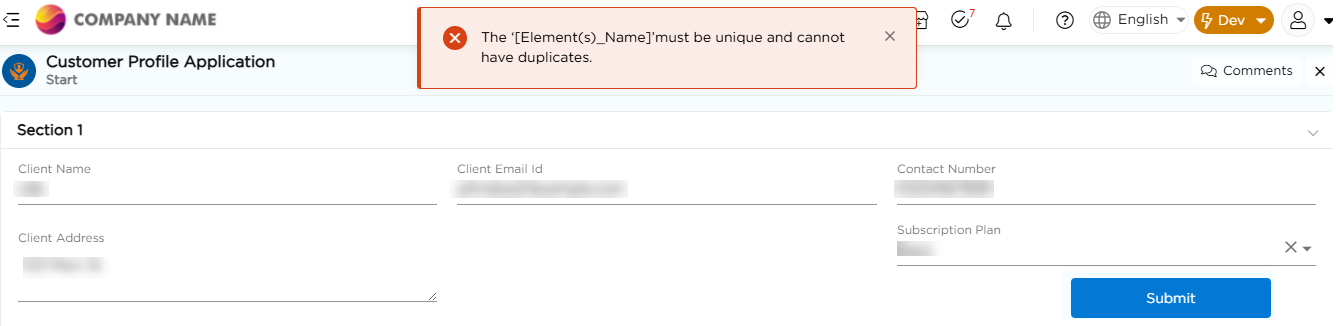
The Unique Record option ensures that users enter unique values in selected form fields while submitting records. This helps prevent the creation of duplicate records and maintains data accuracy within the application.
¶ 1. How Unique Record Works
When the Unique Record toggle is enabled, Quixy checks the selected fields against existing records. If a duplicate value is detected, the system responds based on the configured behavior.
¶ 2. Unique Record Settings
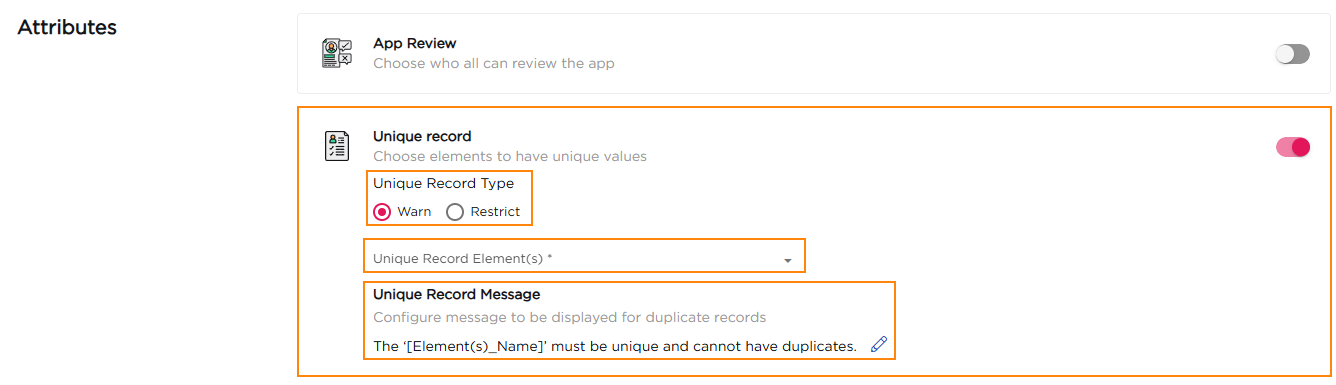
Once enabled, the following configuration options are available:
¶ 2.1. Unique Record Type
This setting defines how the system behaves when a duplicate value is entered.
- Warn: Displays a warning message when a duplicate value is detected but still allows the user to submit the record.
- Restrict: Prevents record submission when a duplicate value is detected.
Choose the option based on whether duplicates should be discouraged or completely blocked.
¶ 2.2. Unique Record Elements
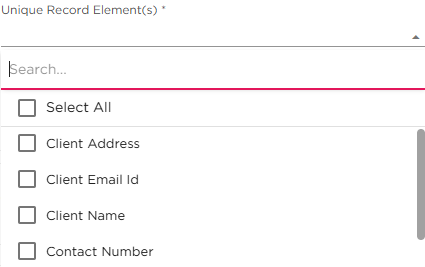
- This dropdown lists all the elements (fields) available in the application.
- Select one or more elements for which the values must be unique.
- The uniqueness check applies only to the selected elements.
¶ 2.3. Unique Record Message
This is the message shown to users when a duplicate value is detected. The message is configurable.
Default system message
“The ‘[Element(s)_Name]’ must be unique and cannot have duplicates.”
You can customize this message to provide clearer guidance to users.