Quixy allows administrators to configure themes at the organization level to control the platform’s visual appearance. This helps align the platform with the organization’s branding and design requirements.
From Admin Menu > Preferences > Themes, administrators can apply a predefined theme or customize a theme for the organization. Theme settings apply consistently across the platform for all users.
Note
Administrators can choose from predefined themes to quickly apply a visual style that matches the organization’s branding.
Themes let you adjust colors, fonts, images, and layout styles to improve visual clarity and consistency. These settings affect elements such as headers, menus, grids, buttons, and popups.
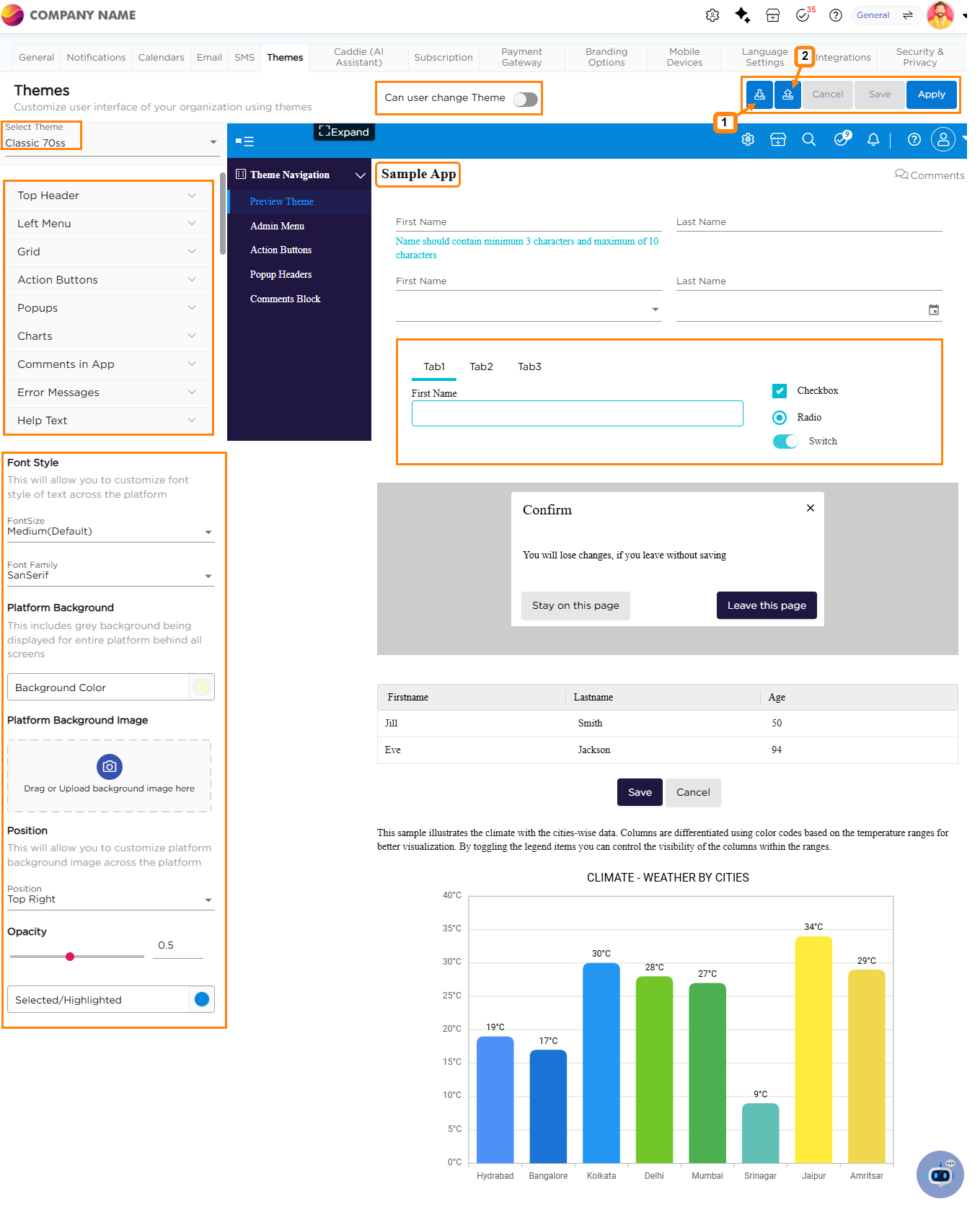
The Themes panel lists the available customization options on the left. Each option controls a specific visual element and is explained in the sections that follows:
¶ 1. Top Header
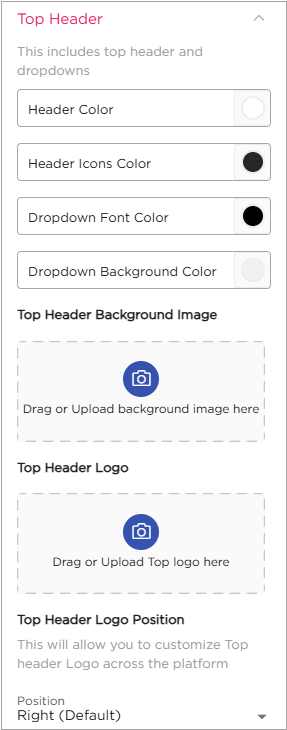
- Customize the top header and dropdown menu to match your branding.
- Change header colors, header icon colors, dropdown font, and background color.
- Add images for the top header background and logo placement.
¶ 2. Left Menu
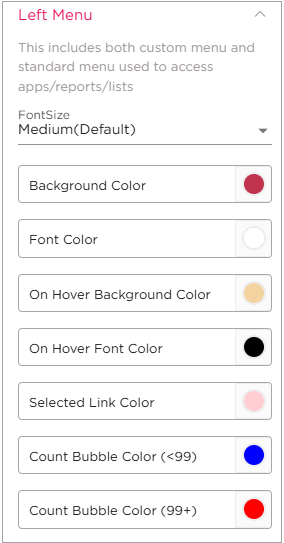
- Access custom and standard menus for apps/reports/lists.
- Adjust font size to small, medium, or large (default is medium).
- Customize BG color, font color, hover BG color, hover font color, and selected link color.
¶ 3. Grid
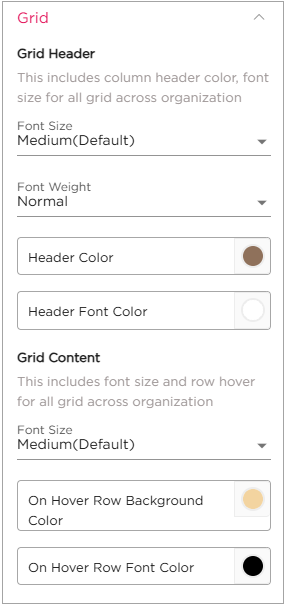
- (Grid Header): Modify column header color, font size, and font color for all grids.
- Grid (Grid Content):
- Customize font size and row hover effects for all grids.
- Choose font size and customize on-hover row BG color and font color.
¶ 4. Action Buttons
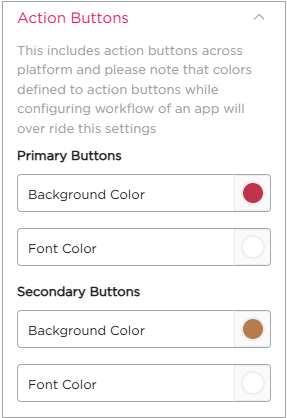
- Adjust background and font colors for primary and secondary buttons.
- Note that workflow-configured button colors will override these settings.
¶ 5. Pop-ups
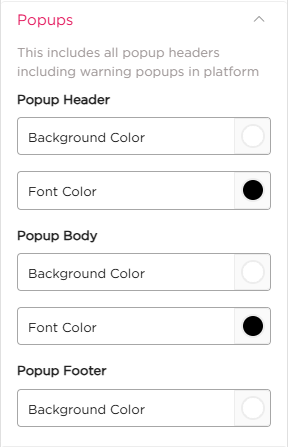
- Customize pop-up header and body BG and font colors.
- Modify pop-up footer BG color.
¶ 6. Charts
¶ 6.1. Bar Chart
- Arrange the color palette for bar charts without confusion.
- Customize text and background colors to suit your preferences.
¶ 6.2. Background Image
- Add an image as the background for your charts, enhancing their visual appeal and customization options.
¶ 7. Comments in App
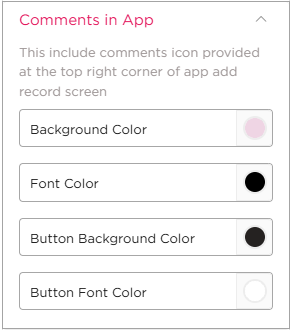
Change background color, font color, button background color, and button font color for comments.
¶ 8. Error Messages
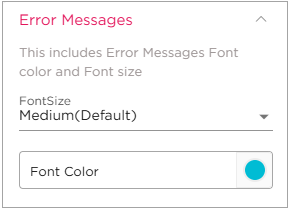
Adjust font size and color for error messages.
¶ 9. Help Text
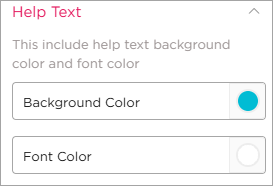
Customize help text background and font colors.
¶ 10. Toaster
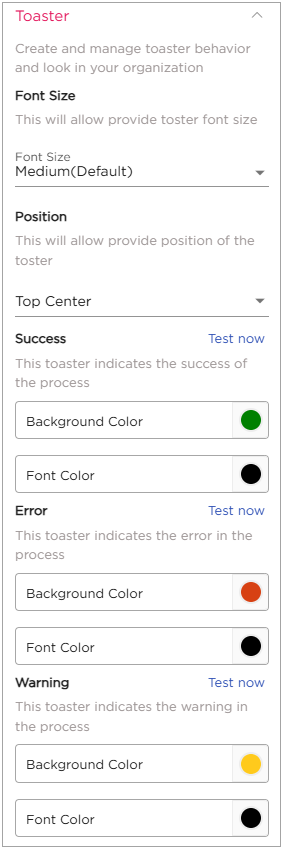
- Manage toaster behavior and appearance.
- Customize BG and font colors.
- Manage toaster message position (middle, right, left).
- For Success/Error/Warning Toaster: Customize BG and font colors for success, error, and warning messages.
¶ 11. Font Style
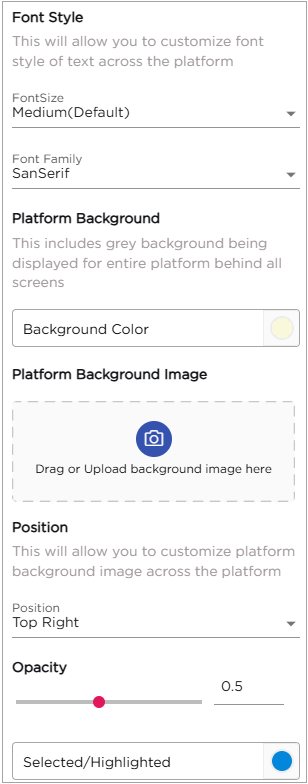
- This will allow you to customize font style of text across the platform
¶ 11.1. Platform Background
- This includes grey background being displayed for entire platform behind all screens
¶ 11.2. Platform Background Image
- BG Image of the Platform can be changed.
¶ 11.3. Position
- This will allow you to customize platform background image across the platform
¶ 11.4. Opacity
- Opacity can be changed as your choice
¶ 11.5. Selected/Highlighted
- Color changes when a sentence is selected or highlighted.
Note
On the top you can find a check box saying Can user change theme. This means when checking on this box, a user can change the theme.
In the middle of the screen, you'll find a section called Sample App. Any changes you make and apply will be reflected in this sample app, giving you a live preview of how your customizations will appear when implemented. This feature allows you to visualize and fine-tune your adjustments before making them live, ensuring a seamless and professional look for your platform.
¶ 12. Functionalities to the right of the screen:
- Download Theme: Located at the top right, clicking option (1) allows you to download the current theme. This feature enables you to save your customized theme for future use or reference.
- Upload Theme: By clicking option (2), you can upload a theme of your choice into the system. This functionality allows you to apply a pre-designed theme to your platform easily.
Note
Expanded Sample App Screen: You can expand the sample app screen for a better experience while making changes. This expanded view provides a more detailed and comprehensive preview of your theme adjustments, ensuring that you can review and fine-tune your customizations with precision.