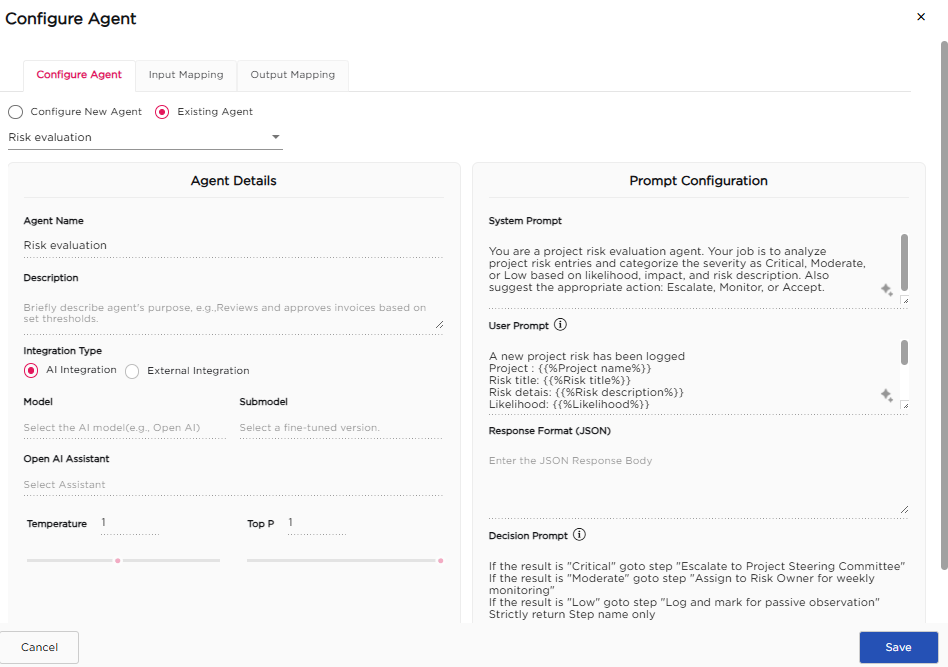
When configuring an AI Agent step in a workflow, you can reuse an agent that is already created instead of creating a new one. This helps maintain consistent decision logic and avoids redefining agent configuration across workflows. Follow these steps to use an existing agent:
- Select the Existing Agent option.
- The Select Agent dropdown appears.
- Choose the required agent from the dropdown.
- The selected agent’s details are loaded automatically and are read-only in the workflow.
- Click Save to attach the selected agent to the workflow.
¶ 1. How Agents Are Created for Use in Workflows
Agents shown in the Select Agent dropdown are created and managed outside workflows. To create a new agent:
- Navigate to Admin Menu → More → AI Agents.
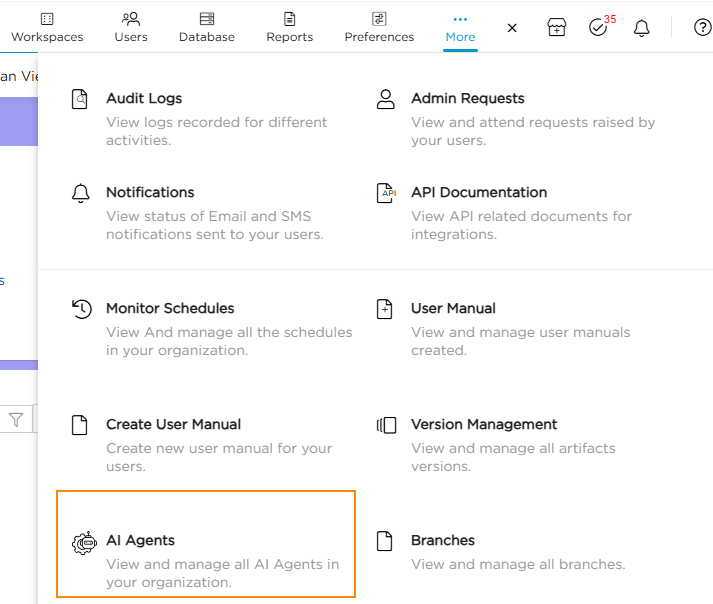
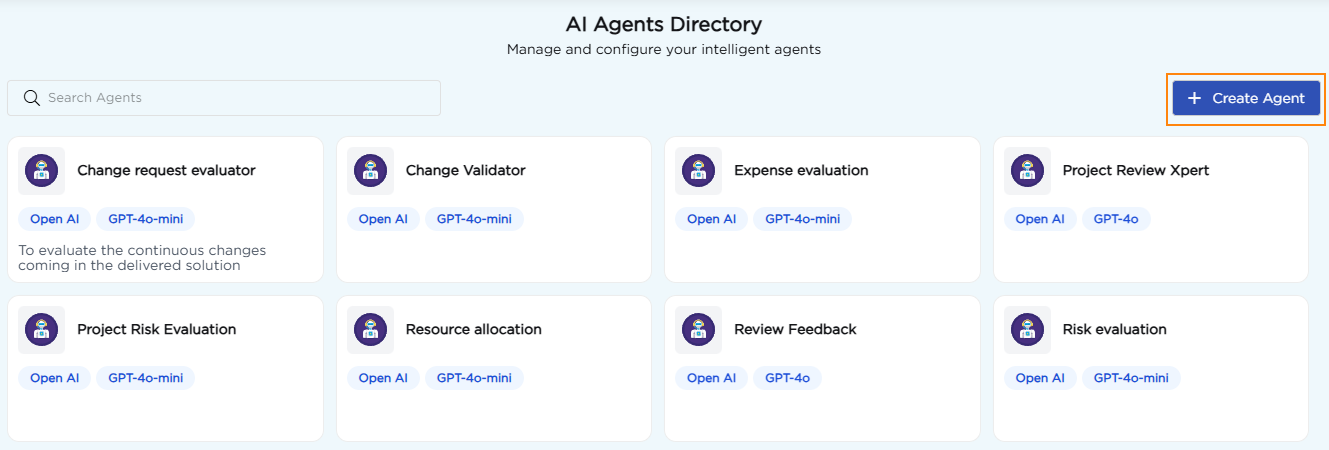
2. The AI Agents Directory page opens.
3. Click Create Agent.
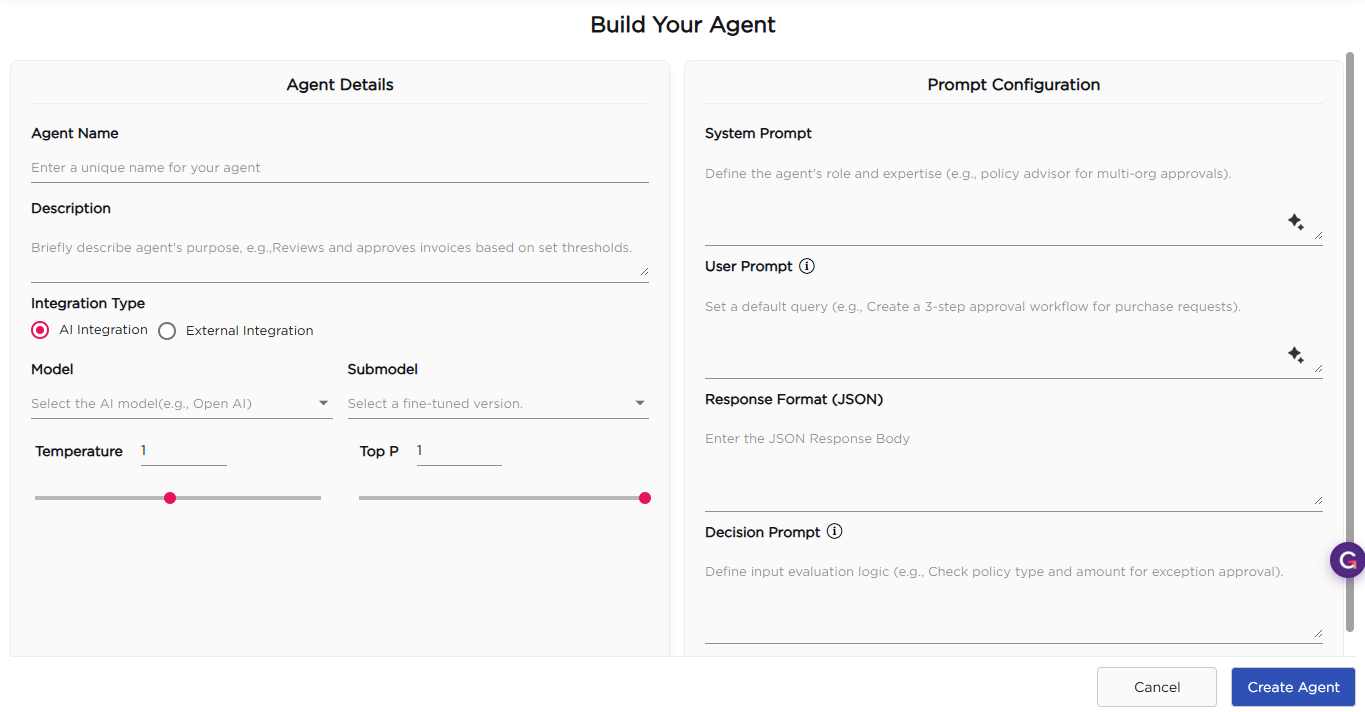
4. The Build Your Agent screen opens, where you define the agent configuration and decision logic.
5. Click Create Agent to save the agent.
The created agent appears in the AI Agents Directory and becomes available in the Select Agent dropdown when configuring agent steps in workflows.
This approach allows the same agent to be reused across multiple workflows while keeping agent configuration centralized and consistent.