AI Agents can be used inside Business Rules to evaluate data and make decisions when specific events occur in an application. This allows you to apply intelligent logic at the rule level instead of relying only on fixed conditions or scripts.
Business Rules execute at defined moments such as page load, field interaction, or button click. When an AI Agent is attached to a rule, the agent evaluates the data available at that moment and returns a decision that the rule can act on.
¶ 1. Configure AI Agent in Business Rules
To use an AI Agent in Business Rules, follow these steps:
- Navigate to the Business Rules section of your application and click Create Rule.
- Select Agent from the popup menu. The Create Agent Rule page opens.
- Enter the Rule Name in the Rule Details section.
- From the Execute the Rule On dropdown, select when the rule should run.
Once the rule details are defined, the next step is to configure the AI Agent associated with this rule.
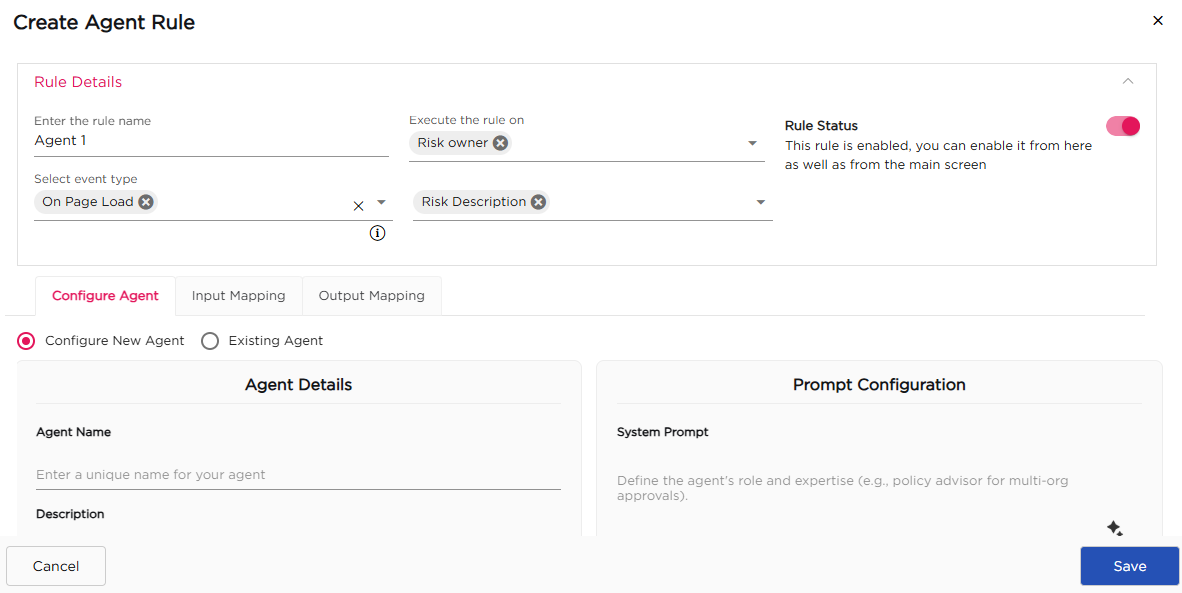
¶ 1.1. Configure Agent Tab
After defining the rule details, move to the Configure Agent tab. Select Configure New Agent if you want to create a new agent for this rule.
- Enter the Agent Name.
- Provide a brief Description to explain what the agent evaluates.
- Select the Integration Type as AI Integration.
- Choose the required Model and Submodel.
- Adjust Temperature and Top P if needed.
¶ 1.2. Prompt Configuration
In the Prompt Configuration section, define how the agent behaves.
- Enter the System Prompt to describe the agent’s role and expertise.
- Enter the User Prompt to define the instruction passed to the agent.
- Specify the Response Format in JSON if structured output is required.
- Define the Decision Prompt to explain how the agent should evaluate input and return a decision.
¶ 1.3. Existing Agent
If you do not want to create a new agent, you can reuse an existing one.
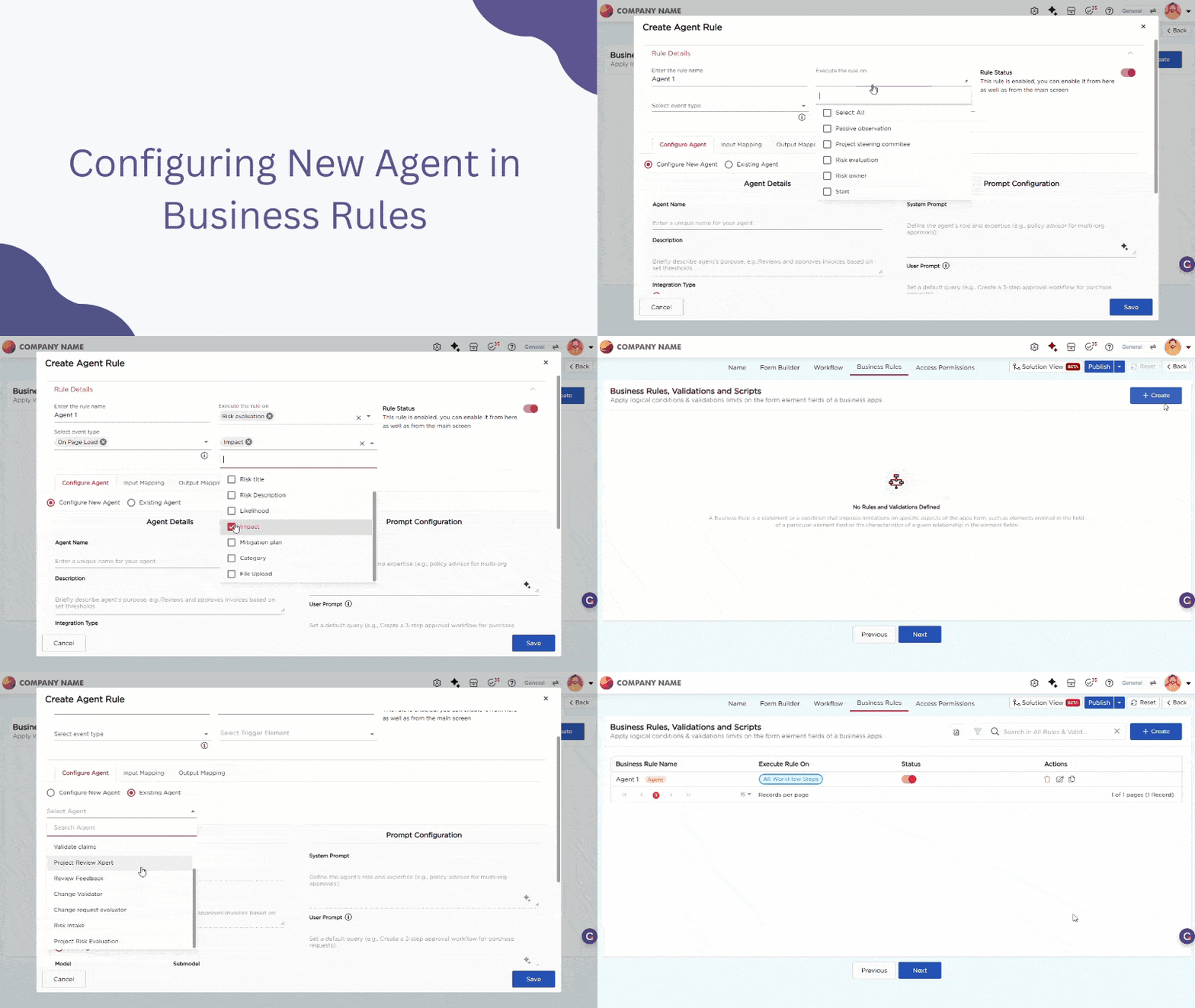
- Select the Existing Agent option.
- Click the Select Agent dropdown and choose the required agent.
- Once selected, the agent details and prompt configuration are populated automatically. These fields are read-only and cannot be edited from the Business Rule.
¶ 2. Mapping
After configuring or selecting an agent, you must define how data is passed to the agent and how the agent’s result is used by the rule. This is done using Input Mapping and Output Mapping.
¶ 2.1. Input Mapping
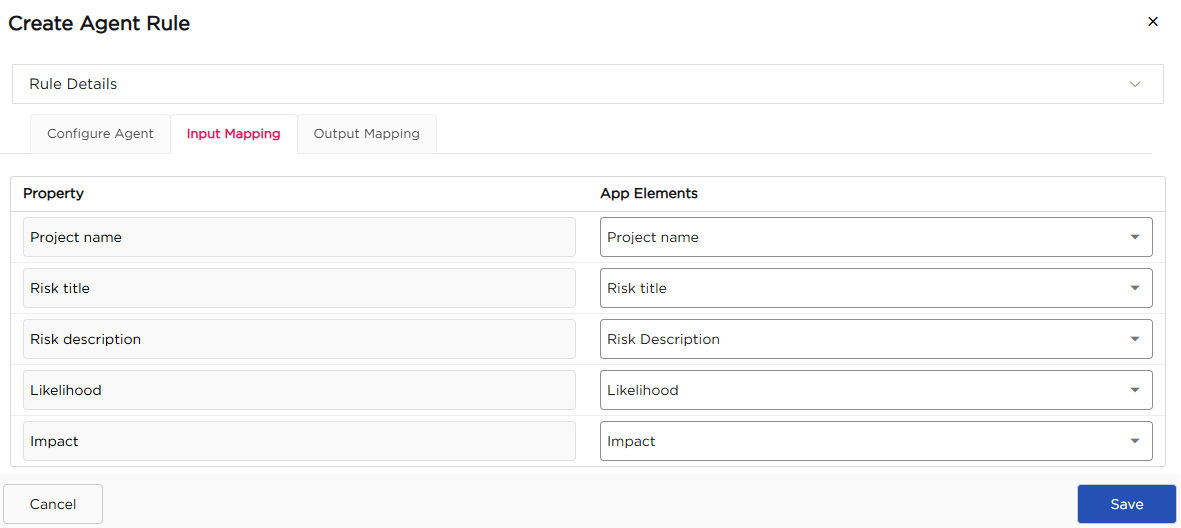
Input Mapping defines what data the Business Rule sends to the AI Agent when the rule is executed. Follow these steps to configure input mapping:
- Switch to the Input Mapping tab.
- For each agent input property, select the corresponding application field.
- Review the mapped fields to ensure the correct data is passed to the agent.
- Click Save to apply the input mapping.
¶ 2.2. Output Mapping
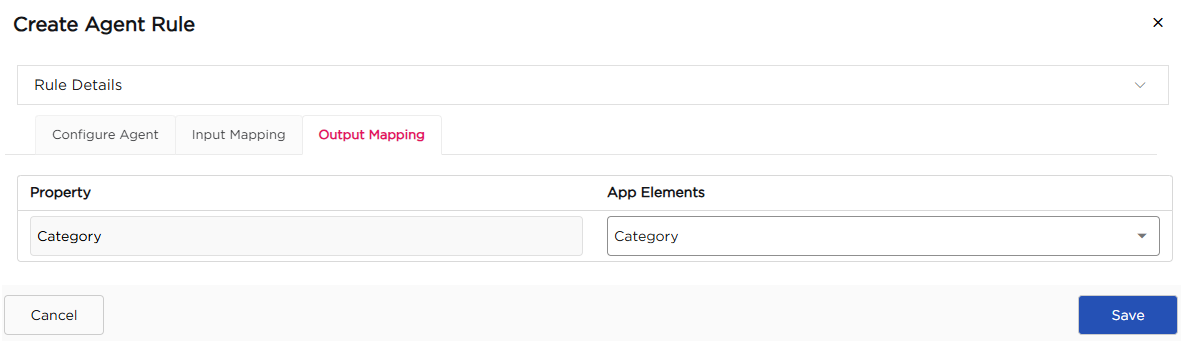
Output Mapping defines how the AI Agent’s decision is returned to the Business Rule. Follow these steps to configure output mapping:
- Switch to the Output Mapping tab.
- Map the agent’s output property to the required application field.
- Click Save to complete the configuration.
Once input and output mapping are completed and saved, the AI Agent becomes part of the Business Rule and is automatically executed whenever the selected rule event occurs, such as page load, field interaction, or button click.